![logoblend-1.png]](https://support.yoursinglepoint.com/hs-fs/hubfs/logoblend-1.png?height=40&name=logoblend-1.png)
Steps
1. Check Default Credentials
-
Use the default username and password:
-
Username: admin
-
Password: admin (or check the router’s label for a unique password)
-
2. Reset the Router
-
If the default credentials don’t work, perform a factory reset:
-
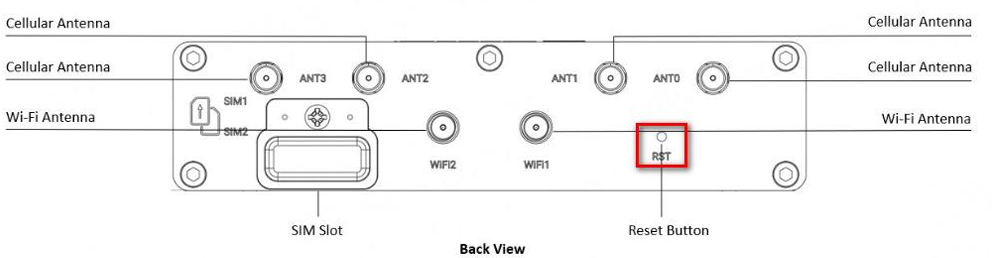
Locate the Reset button (a small button on the router’s panel).
-
With the router powered on, press and hold the reset button for 5–10 seconds until the LEDs flash (e.g., RUN or USR LED).
-
The router will reboot, restoring factory settings and default credentials (admin/admin).
-
-
Log in and set a new password when prompted.